
Get Started
Introduction
Contact usA high-level tour of DearBookmark and the workflows it supports.
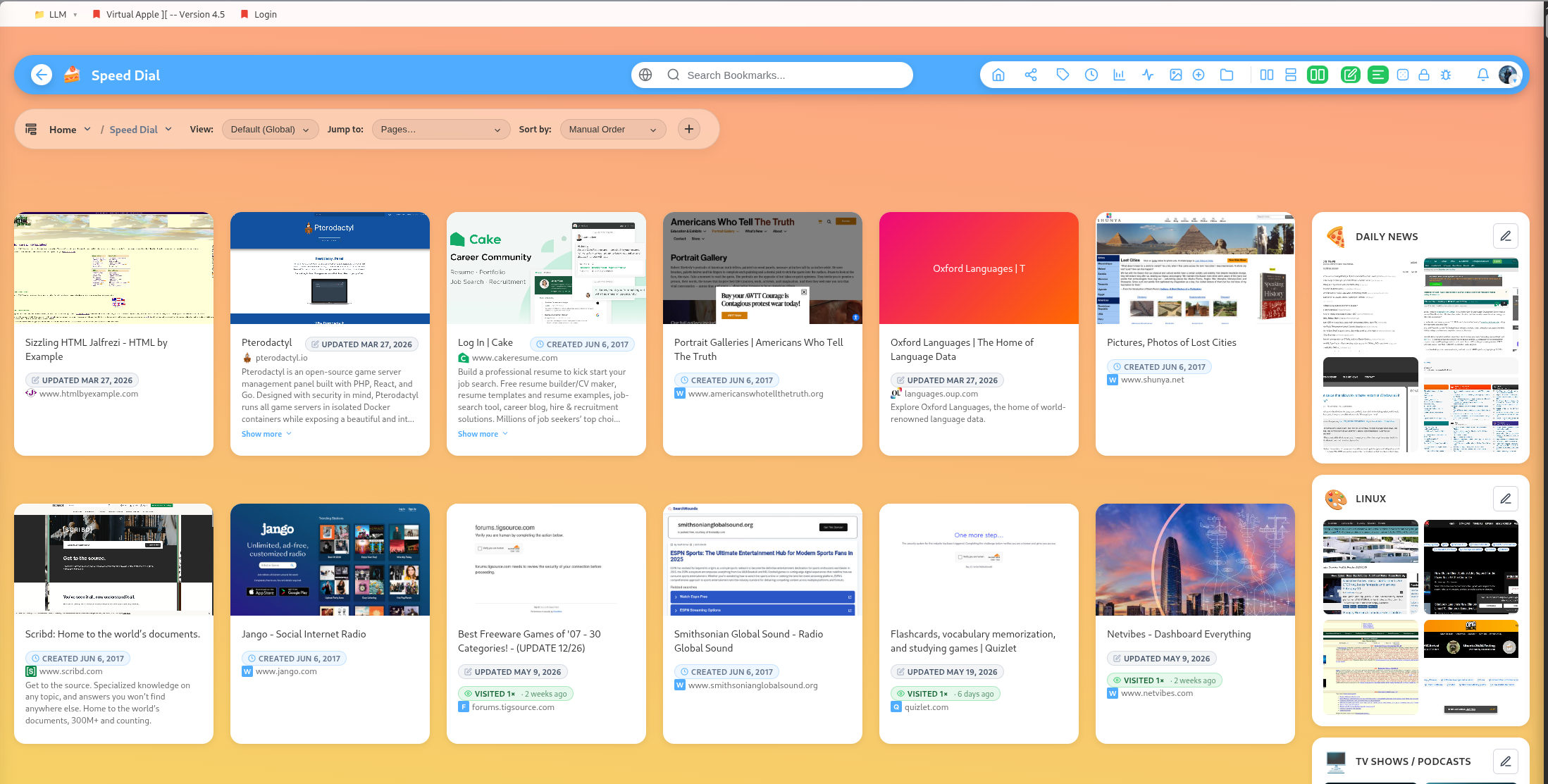
DearBookmark is a personal and team knowledge workspace for saving, organizing, reading, sharing, and revisiting links.
At its simplest, it is a bookmark manager. In day-to-day use, it becomes a private library, research board, public profile, team workspace, playlist room, movie tracker, and read-later system.
What you can do
- Save individual links with titles, descriptions, tags, thumbnails, favicons, and notes.
- Organize bookmarks into nested groups and subgroups.
- Lock sensitive groups, or turn them into vaults that hide bookmark details until unlocked.
- Import browser bookmarks and bulk URL lists.
- Read saved articles in a distraction-free reader.
- Save articles for offline reading and mark them as read.
- Search your own library and browse public community-curated search results.
- Share individual bookmarks, whole groups, public profile pages, and team workspaces.
- Collaborate in team pages with shared folders, Kanban boards, music queues, movie boards, shopping boards, cronjob ingestion, chat, and mind maps.
- Create Linked bookmarks
- Create Pathways which can be used as tutorial, trainings, testing or pathway adventures.
How docs are organized
Use the sidebar to move between different sections to get help on all the features.
Popular guides:
Introduction
A high-level tour of DearBookmark and the workflows it supports.
Quickstart
The fastest path from a new account to a usable bookmark library.
Import Bookmarks
Bring in browser exports or multiple URLs at once.
Browser Extension
Save pages, previews, and page notes directly from the browser.
Saving Bookmarks
Create bookmarks with metadata, previews, tags, and team destinations.
Reader and Read Later
Read articles in a clean layout and save them for offline access.